AI Is Changing Campus Hiring: How Students Can Show Their Skills
Make your technical skills visible in AI-assisted campus hiring with clear resume evidence, one explainable project, and a practical interview routine.
KnowledgeGate Team
Exam prep & CS education
15 Oct 20265 min read
You may know how to code, analyse data, or build a useful app, yet still struggle to make that ability visible in a short resume or campus interview. As employers add AI tools to parts of recruitment, students need more than a list of technologies: they need clear, credible proof of what they can do.
Deloitte India’s 2026 campus workforce report describes a shift toward skills-focused hiring and says AI or agentic AI is transforming recruitment processes at many surveyed organisations. That does not mean one algorithm decides every campus application. It does mean students should make their experience easy to understand, verify, and discuss with a person.
What is changing in campus hiring?
Deloitte’s report says 86% of the 257 organisations it surveyed reported that AI or agentic AI was transforming recruitment. Resume screening was the most common use case in the survey, followed by AI-based assessments. The report also says some organisations see AI adoption creating new entry-level roles or skill requirements. These are survey findings, not a universal description of every employer or campus drive.
Read the Deloitte India report for its scope and methodology.
For a student, the practical point is simple: an application may be reviewed through several stages, including a resume screen, a coding or aptitude assessment, and interviews. The same skill should be visible consistently across those stages. If your resume says “machine learning” but you cannot explain the data, baseline, evaluation, or limitations of your project, the label will not help you for long.
Turn each skill into evidence
Use this pattern to make a claim concrete:
Skill → work you did → evidence someone can inspect → result or lesson
For example, instead of writing “Good at Python,” describe a small project you built, what part you owned, how you tested it, and what the result showed. Keep the statement accurate. A class assignment is still useful evidence when you explain your contribution honestly; it does not need to be presented as industry experience.
Build a short evidence inventory before editing your resume:
Skill you want to show | Useful evidence |
|---|---|
Programming | A working feature, readable code, tests, or a clear debugging example |
Data analysis | A documented dataset, cleaning decisions, charts, and a justified conclusion |
Teamwork | Your individual contribution, how the team divided work, and how you handled a blocker |
Communication | A concise project explanation, a useful README, or a presentation that answers questions |
Learning agility | A new tool or concept you learned, why you needed it, and how you checked your understanding |
The goal is not to create evidence for every keyword in a job description. Choose a few skills relevant to the role and make the proof easy to find.
Make your resume easy to scan and easy to defend
>Start with the role description.
>Highlight the skills the employer actually requests, then connect each one to a course project, internship, student club, open-source contribution, or independent build.
>Use familiar terms when they accurately describe your work; do not copy a long keyword list into the resume without evidence.
>Write bullets that answer three questions:
>What did you build, analyse, improve, or support?
>What part did you personally own?
>What can a reviewer inspect or ask you to explain?
A useful bullet might say: “Built a campus event registration page using React and an API; implemented form validation and tested the main submission paths.” This gives a recruiter a clear starting point for follow-up questions. Add a numerical result only when you measured it and can explain how.
Keep formatting simple: clear section headings, consistent dates, readable links, and selectable text. A polished layout cannot compensate for unclear claims. Save a version tailored to each role, but never change the underlying facts.
Build one project you can explain end to end
A small, finished project is usually easier to evaluate than a long list of half-built ideas. Pick a problem you understand and keep the first version narrow. For a web project, that might mean one user flow; for a data project, one focused question and a defensible analysis.
>A reviewer should be able to find:
>A short README explaining the problem, features, tools, and setup steps.
>A link to a working demo or a few screenshots, if it is safe to share.
>A description of your own contribution, especially for team projects.
>Tests or checks for the parts where errors matter.
>Known limitations and one next improvement.
Do not publish passwords, API keys, private datasets, or personal information. If the repository is private, prepare a safe demonstration or walkthrough instead. A project’s value comes from what you understand and can explain, not from the number of tools named in its README.
Use AI tools without outsourcing your proof
AI can help you brainstorm project scopes, explain an unfamiliar error, review a resume for clarity, or generate practice interview questions. Use it as a reviewer or practice partner, then verify its suggestions yourself.
Before submitting AI-assisted work, check that:
>Every resume claim is true and specific to your contribution.
>The code runs and you can explain the important design choices.
>Any factual statement, result, or citation is independently checked.
>You understand the institution’s or employer’s rules for AI use.
>You can discuss where AI helped and what you changed or validated.
Never ask a tool to invent internship experience, project metrics, certifications, or recommendations. A confident-sounding answer is not proof, and fabricated details can unravel in a technical discussion.
Practise explaining, not just displaying
For each project, prepare a one-minute explanation: the problem, your role, the key decision, how you tested it, and what you would improve. Then practise answering deeper questions about trade-offs, edge cases, and failures.
For a team project, be precise about ownership. For an AI-generated feature, explain how you checked its output. If you do not know an answer, describe how you would investigate it.
Employers looking for early-career talent assess communication, collaboration, and learning ability alongside technical knowledge; the Deloitte report discusses these broader capabilities as part of campus hiring.
A two-week plan to make your skills visible
Days 1–2: Choose one role or internship description and list its core skills. Match each skill to evidence you already have.
Days 3–7: Improve one relevant project. Add setup instructions, tests or checks, and a short explanation of your contribution. Remove anything you cannot safely share.
Days 8–10: Rewrite resume bullets to make ownership and evidence clear. Ask a peer to identify claims that sound vague or difficult to verify.
Days 11–14: Practise a project walkthrough and a technical discussion. Review your resume and repository together so the details agree.
This is a focused starting point, not a promise of an offer. Continue improving the evidence based on the roles you are applying for and the questions you receive.
The takeaway
AI-assisted hiring makes clarity more valuable, but it does not remove the need for real ability. Pick relevant skills, show them through finished work, make your contribution easy to verify, and practise explaining your decisions. Explore KGAI’s Placement Preparation, Resume & Interview preparation resources, and Coding & Skills pages for related learning paths. For company-specific practice, see the guides to Infosys placement preparation and an Accenture placement study plan.
Keep learning
Which Skill Sets Are in Demand for Tech Jobs?
Explore the technical and human skill combinations showing up across software, AI, data, cloud, and security roles—and how students can prove them with focused projects.
21 Oct 20265 min readPlacement Preparation
Resume Checklist: What Must Be Included and What Must Be Left Out
3 Oct 20264 min readPlacement Preparation
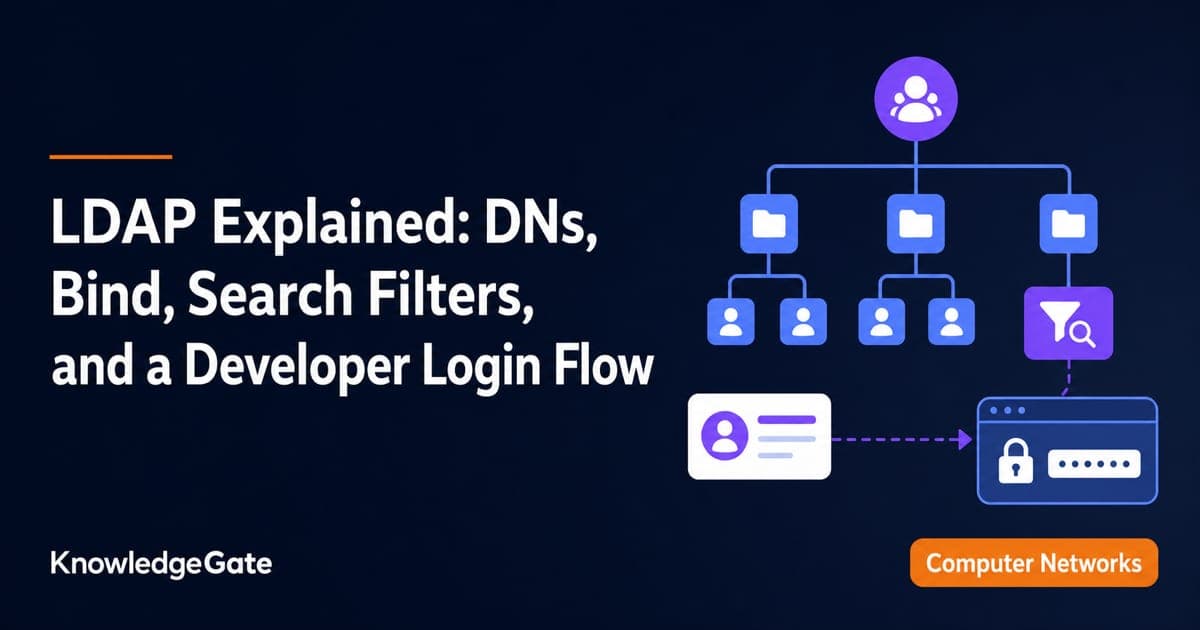
LDAP Explained: DNs, Bind, Search Filters, and a Developer Login Flow
Build one LDAP mental model from directory tree to login. Trace a service bind, escaped user search, password-verifying user bind, and group-based role check.
Updated 13 Aug 20265 min readPlacement Preparation
Group Discussion Rounds for Placements: How GD Is Scored and How to Prepare Topics
Speaking more is not the same as scoring more in a GD. Learn what panels observe, how to prepare topic notes, and how to practise useful contributions.
11 Aug 20266 min readPlacement Preparation