File Handling in C: fopen, Read, Write, Append and Seek with Runnable Examples
Build safe C file workflows with text and binary examples. Write records, total them, append data, seek by byte offset, and handle failures.
KnowledgeGate Team
Exam prep & CS education
Updated 26 Aug 20266 min read
C file handling is not difficult because of one function, but because a correct program must coordinate a FILE *, the right mode, return-value checks, a read or write loop, and fclose. This tutorial is the dedicated worked file-handling treatment in this C series: it follows complete text and binary workflows from fopen through checked transfer, append, seek, error diagnosis, and close. Dynamic Memory Allocation, Macros, Scoping and File Handling in C: Worked Examples carries a short checked file-reading pattern alongside memory allocation, macros, and scope, while C Programming by Yash Sir: Complete Guide with Worked Examples provides the broader C map and a quick mode overview. Here you will write Asha 78, Ravi 91, and Meera 84, calculate total 253 and average 84.33, then seek to byte offset 2 in a six-byte binary file to read ID 2 with mark 91.
1. Build the file-handling mental model before memorising functions
Include <stdio.h>, declare FILE *fp, call fopen(path, mode), and test for NULL. Perform I/O only after success, then check fclose. scores.txt is relative to the program's current working directory, not necessarily the source file's directory.
Mode | Exact effect |
|---|---|
| Read an existing file; fail if it is absent. |
| Write; create if absent, but truncate an existing file. |
| Write at the end; create if absent. |
| Read and write an existing file; fail if absent. |
| Read and write; create or truncate. |
| Read and append; create if absent, with writes forced to the end. |
| Select binary mode, as in |
Treat w as destructive. On an update stream, output followed by input needs fflush or positioning; input followed by output needs positioning unless input reached EOF. The Coding & Skills category connects file handling with the pointer, array, and function concepts used by larger C programs.
2. Write three records to scores.txt and verify the file itself
Save this as write_scores.c:
#include <stdio.h>

int main(void) {
    const char *names[] = {"Asha", "Ravi", "Meera"};
    int marks[] = {78, 91, 84};
    FILE *fp = fopen("scores.txt", "w");
    if (fp == NULL) {
        perror("scores.txt");
        return 1;
    }

    for (int i = 0; i < 3; i++) {
        if (fprintf(fp, "%s %d\n", names[i], marks[i]) < 0) {
            perror("scores.txt");
            if (fclose(fp) == EOF) perror("scores.txt");
            return 1;
        }
    }
    if (fclose(fp) == EOF) {
        perror("scores.txt");
        return 1;
    }
    return 0;
}
Run gcc -Wall -Wextra -std=c17 write_scores.c -o write_scores, then ./write_scores. Success creates or replaces scores.txt in the current working directory with three logical lines:
Asha 78
Ravi 91
Meera 84
Checking fclose catches failures while buffered output is flushed.
3. Read until conversion fails, then calculate the exact result
Save the reader as read_scores.c:
#include <stdio.h>
#include <string.h>

int main(void) {
    char name[20], top_name[20] = "";
    int mark, total = 0, count = 0, highest = -1;
    FILE *fp = fopen("scores.txt", "r");
    if (fp == NULL) {
        perror("scores.txt");
        return 1;
    }

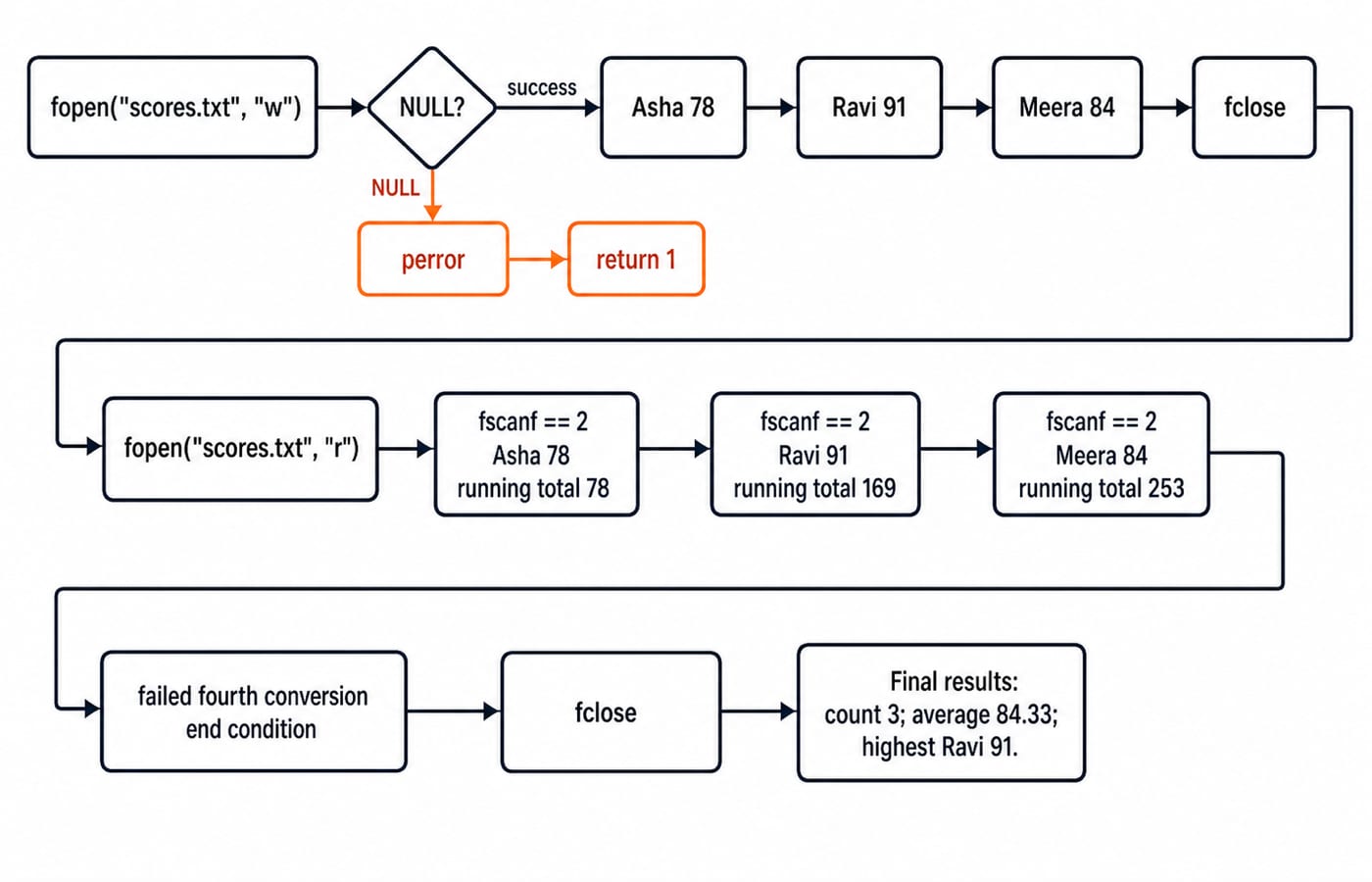
    while (fscanf(fp, "%19s %d", name, &mark) == 2) {
        total += mark;
        count++;
        if (mark > highest) {
            highest = mark;
            snprintf(top_name, sizeof top_name, "%s", name);
        }
    }
    if (ferror(fp)) {
        perror("scores.txt");
        if (fclose(fp) == EOF) perror("scores.txt");
        return 1;
    }
    if (!feof(fp)) {
        fprintf(stderr, "Malformed record in scores.txt\n");
        if (fclose(fp) == EOF) perror("scores.txt");
        return 1;
    }
    if (fclose(fp) == EOF) {
        perror("scores.txt");
        return 1;
    }

    printf("Records: %d\nTotal: %d\nAverage: %.2f\n",
           count, total, count ? (double)total / count : 0.0);
    printf("Highest: %s (%d)\n", top_name, highest);
    return 0;
}
The width 19 leaves room for the null byte in name[20]; return value 2 means both fields converted. The arithmetic is 78 + 91 + 84 = 253, then 253 / 3.0 = 84.333..., printed as 84.33. Exact output is Records: 3, Total: 253, Average: 84.33, and Highest: Ravi (91).
4. Choose formatted, line, character, or binary I/O deliberately
Use fprintf and fscanf for fields such as Ravi 91, fputs and fgets for whole lines, fputc and fgetc for a character filter, and fwrite and fread for byte blocks. Since %s stops at whitespace, read Asha Verma,78 as a line and parse it with char full_name[40]; and sscanf(line, "%39[^,],%d", full_name, &mark) == 2.
After a read fails, feof(fp) identifies normal EOF while ferror(fp) identifies an I/O error. feof cannot predict another record.
5. Append safely, then use a six-byte binary file for exact seeking
Open scores.txt with a, check the pointer, require fprintf(fp, "Kabir 88\n") >= 0, and check fclose. A fresh read gives four records, 253 + 88 = 341, average 341 / 4.0 = 85.25, and highest Ravi (91). Unlike r+, a creates if needed and forces writes to the end. Use fflush only when pending output must become visible before close. Also check whether rename("scores.txt", "class_scores.txt") and remove("class_scores.txt") return 0; either operation can fail.
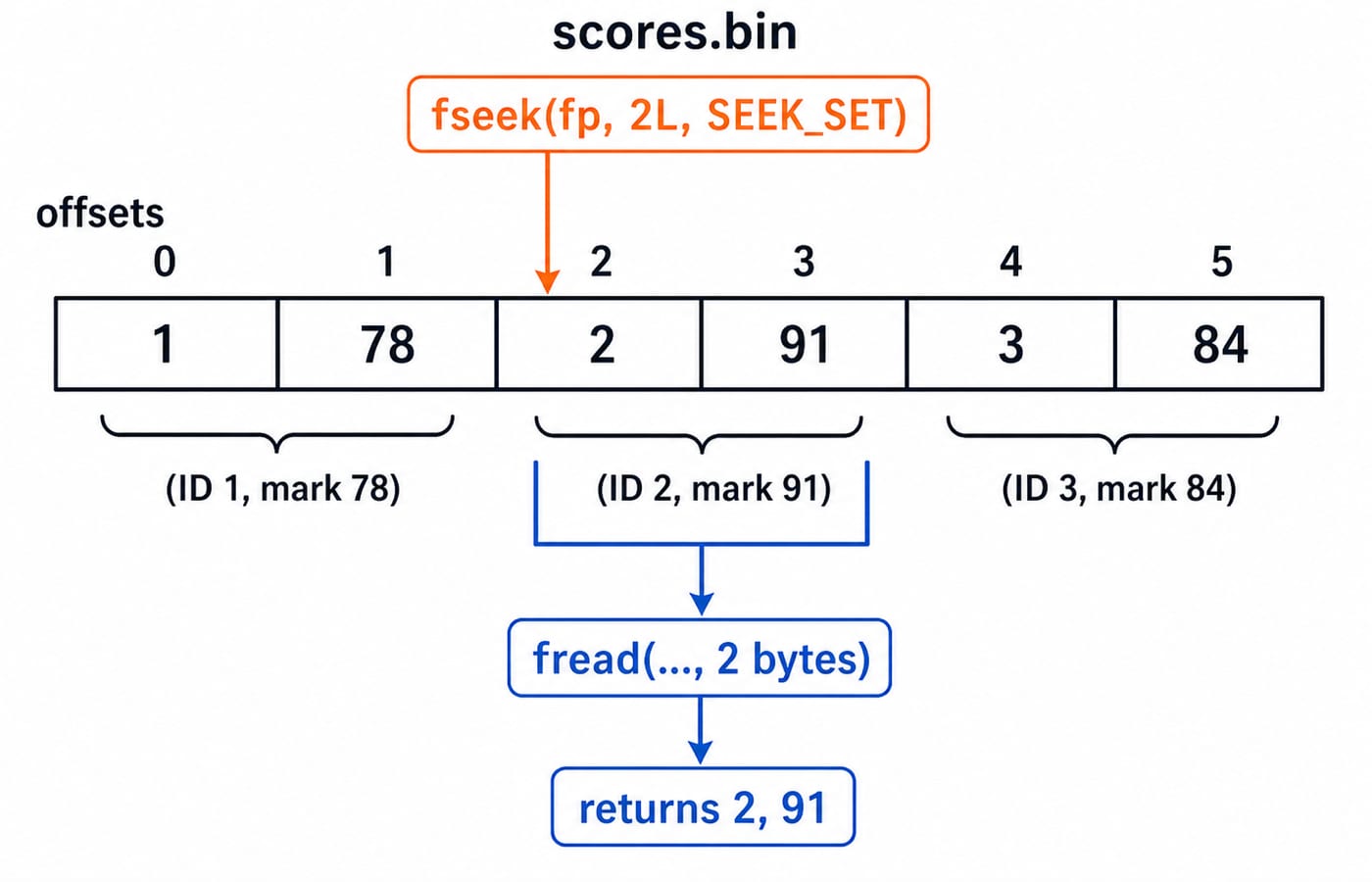
This program uses explicit bytes, avoiding C struct padding and representation concerns:
#include <stdio.h>

static int close_checked(FILE *fp) {
    if (fclose(fp) == EOF) {
        perror("scores.bin");
        return 1;
    }
    return 0;
}

int main(void) {
    unsigned char records[] = {1, 78, 2, 91, 3, 84};
    unsigned char pair[2];
    FILE *fp = fopen("scores.bin", "wb");
    if (fp == NULL) { perror("scores.bin"); return 1; }
    if (fwrite(records, 1, sizeof records, fp) != sizeof records) {
        perror("scores.bin");
        close_checked(fp);
        return 1;
    }
    if (close_checked(fp)) return 1;

    fp = fopen("scores.bin", "rb");
    if (fp == NULL) { perror("scores.bin"); return 1; }
    if (fseek(fp, 2L, SEEK_SET) != 0) {
        perror("scores.bin");
        close_checked(fp);
        return 1;
    }
    if (fread(pair, 1, 2, fp) != 2) {
        fprintf(stderr, "Could not read two bytes\n");
        close_checked(fp);
        return 1;
    }
    if (close_checked(fp)) return 1;
    printf("ID: %u, mark: %u\n", pair[0], pair[1]);
    return 0;
}
Seeking to byte 2 selects the second record, so output is ID: 2, mark: 91.
6. Fix the file-handling mistakes that make correct-looking code fail
Cause | Symptom | Repair |
|---|---|---|
Use a | Crash or undefined behaviour | Test every |
Open valuable data with | Old contents disappear | Choose |
Loop with | Stale values are processed again | Let the read's return value control the loop. |
Use unbounded | The destination array can overflow | Match a width such as |
Ignore close, error, or transfer counts | Data loss or partial records go unnoticed | Check |
Without scores.txt, the reader takes the perror("scores.txt") path and exits non-zero. Change the middle line to Ravi ninety-one and fscanf == 2 fails after Asha 78; !feof(fp) identifies malformed input, not true EOF.
7. Practise the question patterns that exams, vivas, and coding tests use
Practise predicting which modes create, truncate, or append; counting successful conversions; and locating a record by byte offset. For an exam-specific syllabus or pattern, check the exam body's current official notice.
Try these exercises:
Append
Kabir 88; confirm total341and average85.25.Read
42 7 19 7 3 91 28 14fromnumbers.txt, sort only the successfully parsed integers, and write3 7 7 14 19 28 42 91tosorted.txt. Check every open, read, write, and close result, then compare your sort with an independent trace.Read the knapsack pairs
(2,12) (1,10) (3,20) (2,15)fromitems.txt, compute the optimum for capacity5, and write value37with chosen weights2 + 1 + 2toresult.txt. Use a 0/1 knapsack table to verify the recurrence and optimum.
8. The short version and the next practical step
Pick the mode from the intended operation. Test fopen. Let each I/O function's return value control the loop. Use bounded input. Distinguish EOF from error. Close and check the stream.
You produced 253, 84.33, and Ravi 91 from text records, plus ID 2, mark 91 through an exact binary seek. Type and run both examples, deliberately test the missing-file and malformed-line paths, then continue with the C Language course or the Complete C Programming course.
Keep learning
File Handling in C: Modes, Streams, a Worked File-Position Trace and Exam Traps
Learn how C streams, fopen modes, EOF checks and file positions work, then follow a five-byte trace that makes common output questions predictable.
Updated 24 Oct 20266 min readC Programming & Data Structures
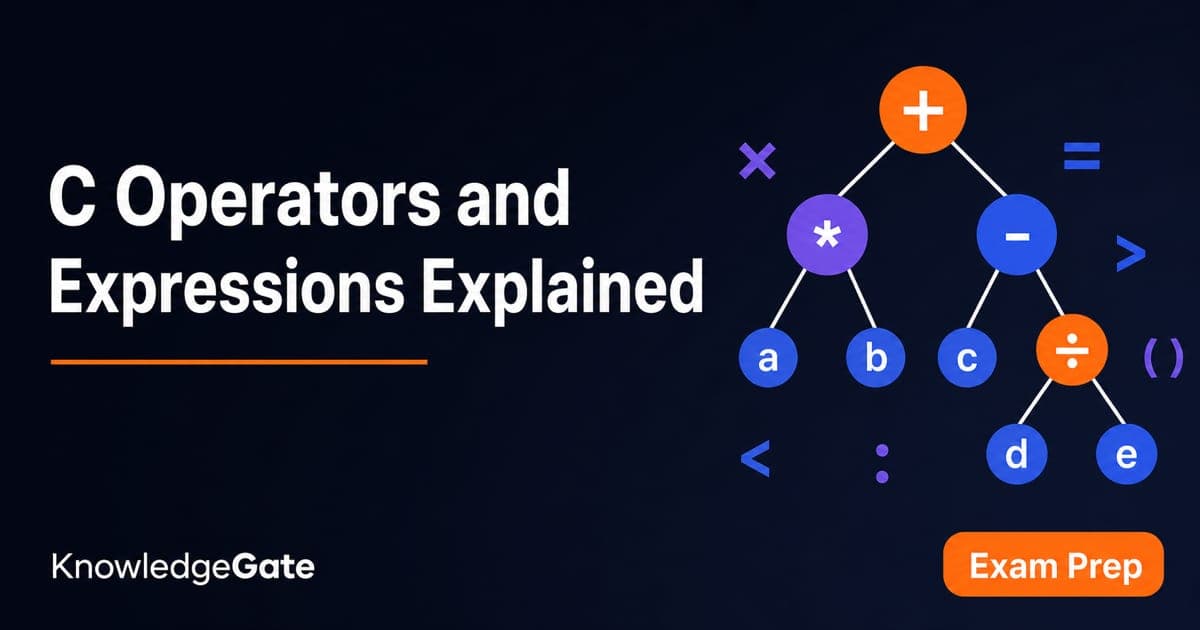
C Operators and Expressions Explained: Precedence, Types and Worked Traces
Learn a repeatable way to parse and evaluate C expressions. Follow typed calculations, bitwise and short-circuit traces, and common exam traps.
Updated 22 Oct 20266 min readC Programming & Data Structures
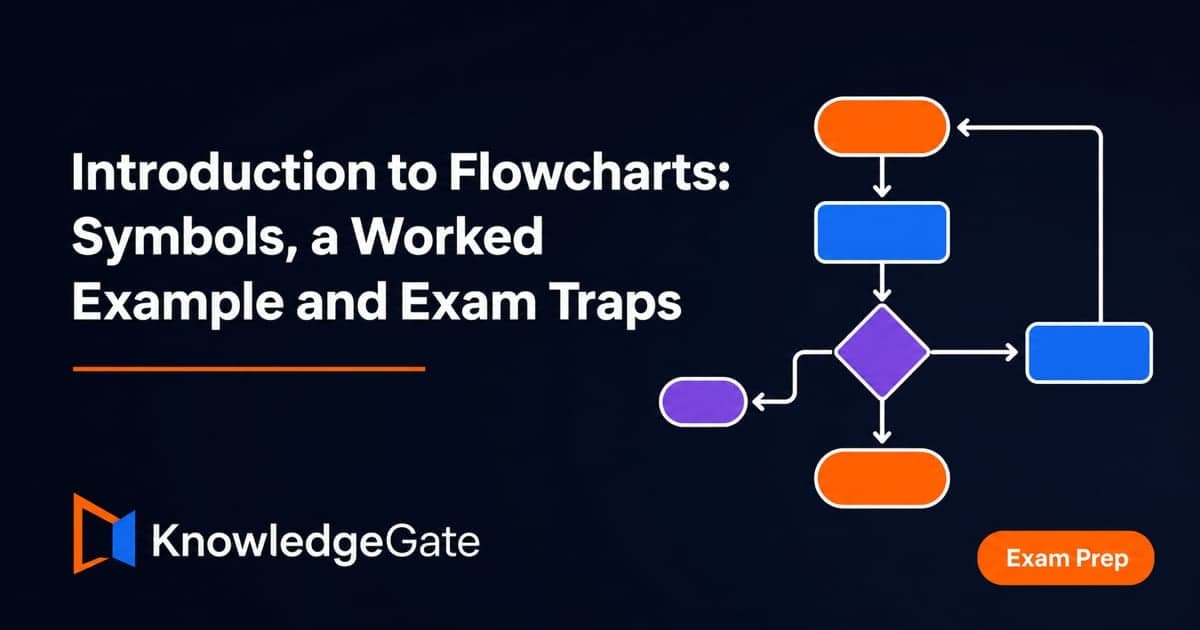
Introduction to Flowcharts: Symbols, a Worked Example and Exam Traps
Learn how flowchart symbols express sequence, decisions and loops. Then trace a complete even-sum example, translate it into C and repair common logic defects.
Updated 18 Oct 20266 min readC Programming & Data Structures
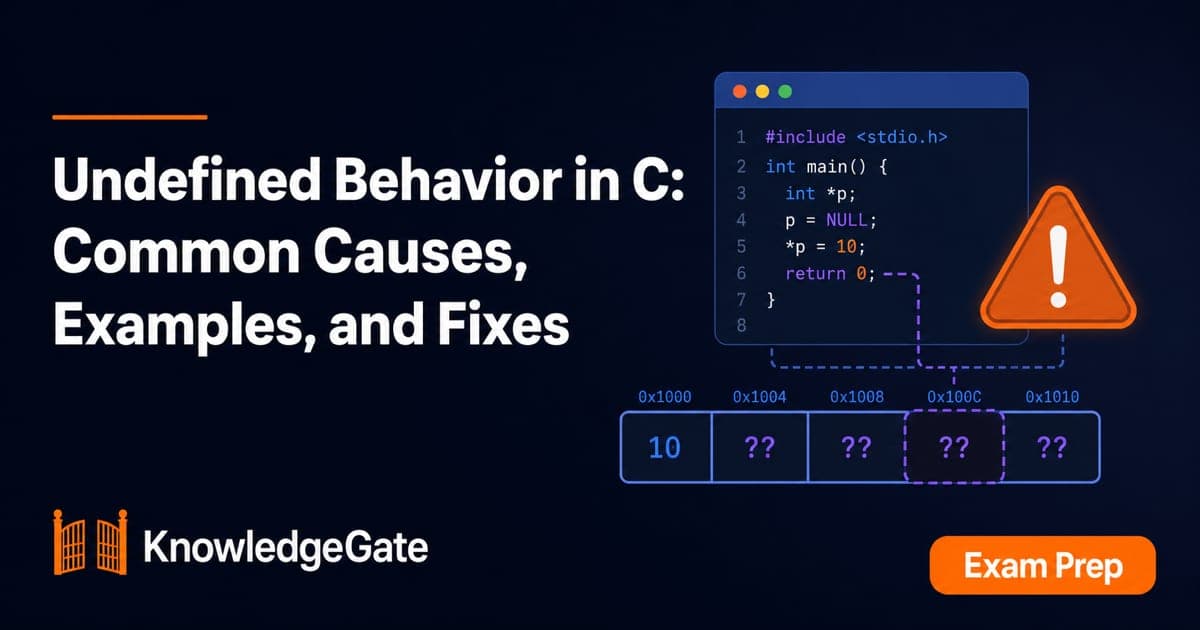
Undefined Behavior in C: Common Causes, Examples, and Fixes
Learn to find the first undefined operation in common C programs, repair the missing invariant, and verify the corrected result with worked examples.
Updated 14 Oct 20266 min readC Programming & Data Structures